What is construction time and attendance software? A guide for UK site teams
By Dave Groom·AI-assisted·Editorial policy
Construction time and attendance software records when site staff start and finish, where they were when they did, and turns that into timesheets. In the EstiMate Crew app, workers clock in on their phone against a job, the location is recorded at that moment, and each day's timesheet fills itself in from the clock.
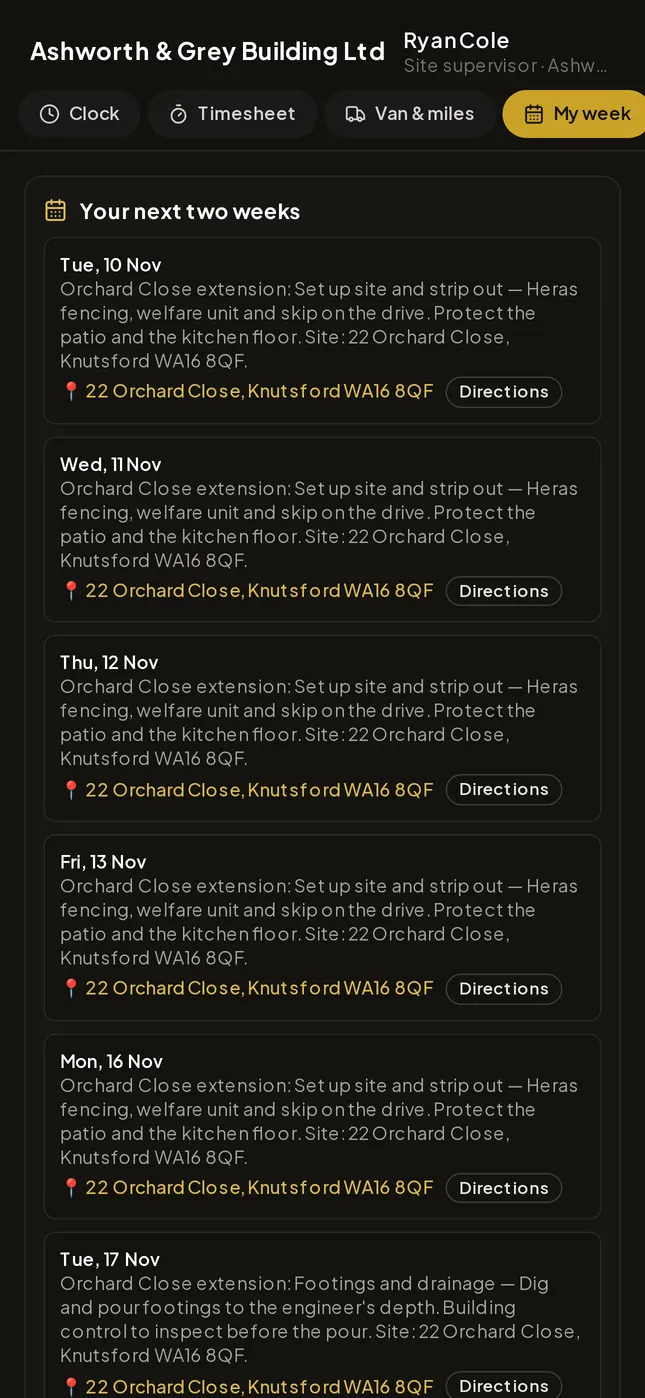
For the office, the point is knowing who is on site now and paying the right hours without chasing paper. For the crew, it means no typing up a week of times from memory on a Friday.
How is it different from a paper timesheet?
A paper or spreadsheet timesheet is written after the fact. A time and attendance app captures the start and finish as they happen, with a place attached, so the hours carry where they were worked as well as when.
That record then feeds the rest: approvals and wages, instead of being retyped from a sheet.
How does clocking in work?
Each worker clocks in on the EstiMate Crew app against a job, or against the yard, a merchant or travelling. The phone records where they clocked in from.
The office sets the working day, lunch and the overtime threshold, and can require a GPS fix before anyone can clock in or out. See the construction time and attendance app for how it looks.
Can the office see who is on site right now?
Yes. The on-the-clock board shows everyone currently clocked in, which job they are on and where they clocked in from, and it refreshes every minute.
If the company turns on live location and the worker allows it, a map shows each person's latest position and their trail for the day while they are clocked in.
When is location tracked, and when isn't it?
Only during working time. Live location runs while someone is clocked in, only if the employer has turned it on and the worker has allowed it, and it stops when they clock out. The phone shows a location indicator while it runs.
The company is the data controller for its crew's data, as set out in EstiMate's privacy policy.
How do timesheets get done and approved?
Each day fills itself in from what the phone clocked. If a worker changes a time, they give a reason, and the office sees both the clocked record and what was sent.
The office approves a day or queries it with a note, and the worker sees the answer on their phone. Days where the phone was a long way from the job are flagged for a look.
What do UK working time rules expect from employers?
GOV.UK says workers can't work more than 48 hours a week on average, normally averaged over 17 weeks. Workers over 18 can opt out, but it must be voluntary and in writing, and the employer must keep a record that they've opted out.
GOV.UK also says employers need to keep some records about working hours, and points to Acas for the detail.
Does travel count as working time?
For site teams this matters. GOV.UK counts travel between home and work at the start and end of the day as working time if you don't have a fixed place of work. Travel to and from work doesn't count if you do have a fixed place of work.
A clock-in against "travelling" keeps that time visible rather than lost between jobs.
What breaks are workers entitled to?
Workers over 18 usually get one uninterrupted 20-minute break if they work more than 6 hours a day, 11 hours' rest between working days, and either 24 hours off each week or 48 hours each fortnight.
A clocked record shows the hours that were actually worked. Whether that meets your duties is for you to check against GOV.UK and Acas.
What else does a site team app do?
On EstiMate Crew, mileage is tracked while on the clock or typed in, and the travel and fuel view flags fuel that looks high for the miles.
Staff can also send receipts, expenses, photos, signed site forms, site diaries and materials requests, book a van and request holiday. The office posts to the whole crew board, and every post buzzes their phones. More on the EstiMate Crew app.
How do staff sign in, and which plans include it?
The office adds staff on the Workers & Subbies register. The first time, a six-character set-up code (or QR) pairs the phone and they choose a password. After that they sign in with their employee number and password, and the office can sign anyone out.
The Crew app is included on EstiMate Commercial and Corp with unlimited crew, and is a £29.99 a month add-on on EstiMate Pro. Crew never count as office logins (pricing).
Sources and further reading
- Maximum weekly working hours — GOV.UK
- Maximum weekly working hours: calculating your working hours — GOV.UK
- Rest breaks at work — GOV.UK